Staying connected isn’t a luxury—it’s a necessity. Whether you’re streaming your favorite shows, working from home, gaming with friends, or just browsing the web, your broadband connection is the invisible lifeline powering it all. But with so much tech-speak thrown around, it’s easy to feel overwhelmed. That’s where a solid understanding of the essentials comes in. This broadband basics guide will help you decode the lingo, make smarter choices, and get the most out of your internet connection.
What Exactly Is Broadband?
Broadband is a high-speed internet connection that remains on 24/7. Unlike the old-school dial-up, broadband lets you use your phone and internet simultaneously—no beeping, no busy signals. It delivers a continuous stream of data that allows for smoother browsing, streaming, and downloading. It’s fast, reliable, and always available.
There are various forms of broadband, and each serves a slightly different purpose based on your needs, location, and budget.
Types of Broadband Connections
Understanding the types of broadband is crucial when selecting a service that suits your lifestyle. Here are the main players:
1. DSL (Digital Subscriber Line)
Runs through telephone lines. It’s widely available and relatively inexpensive. While not the fastest, it’s a dependable option for light to moderate internet usage.
2. Cable Broadband
Transmits data over coaxial TV cables. It offers higher speeds than DSL and is great for streaming, online classes, and everyday usage. However, speeds can fluctuate during peak hours.
3. Fiber Optic Broadband
The golden child of broadband. It uses light signals through fiber-optic cables to deliver blisteringly fast speeds. Ideal for heavy-duty users—think multi-device households, 4K streaming, online gaming, and video conferencing.
4. Satellite Internet
Best for rural or remote areas. It beams internet from satellites orbiting the Earth. While accessible nearly everywhere, latency (delay) can be a challenge, especially for gaming or video calls.
5. Mobile Broadband & 5G
Uses cellular networks to deliver internet to your devices. With 5G expanding, mobile broadband is becoming a viable solution for on-the-go users and those without fixed-line access.
This broadband basics guide isn’t complete without knowing which connection best matches your internet behavior.
Decoding Internet Speeds
Let’s demystify those Mbps (megabits per second). The higher the Mbps, the faster the data transfer. Here’s a quick breakdown:
- 10–25 Mbps: Browsing, emails, standard-definition streaming.
- 25–100 Mbps: HD streaming, video conferencing, light gaming.
- 100–500 Mbps: Multiple users, smart homes, heavy streaming and downloads.
- 500 Mbps – 1 Gbps: Hardcore gamers, large families, remote work with big uploads.
Always aim a little higher than your current need—you’ll thank yourself during software updates, online meetings, and binge-worthy nights.
Upload vs. Download Speeds
Download speed gets all the glory, but upload speed matters too—especially if you’re uploading large files, backing up data, or joining video calls. Fiber broadband often offers symmetrical speeds (same upload and download rates), while others tend to favor downloads. Balance is key, and this broadband basics guide urges you not to overlook this detail.
Data Caps and Unlimited Plans
Some providers limit how much data you can use per month—known as a data cap. Streaming, gaming, and video calls burn through data faster than you think. Unlimited plans are a better fit for most households. Be sure to check for hidden “fair usage policies” even on so-called unlimited plans.
The Role of a Good Router
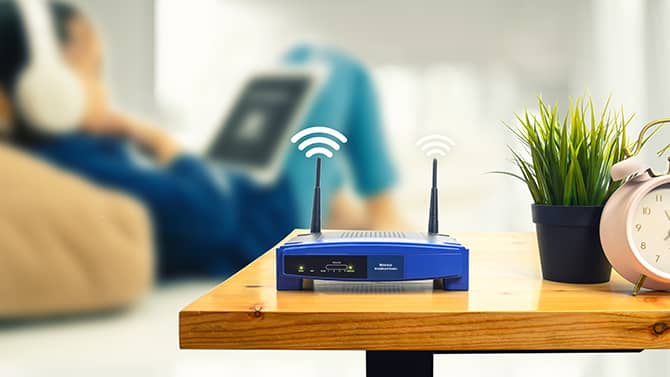
Even the fastest broadband is only as good as your router. A modern dual-band or tri-band router can handle multiple devices without slowing down. Placement matters too—keep it centrally located and elevated to maximize signal coverage. Avoid hiding it in a cabinet; let it breathe and broadcast freely.
A smart router setup is an underrated gem in any broadband basics guide.
Tips for a Speedier Connection
- Use Ethernet when possible – wired connections beat Wi-Fi for speed and reliability.
- Limit background apps – they eat up bandwidth without you realizing.
- Schedule heavy downloads during off-peak hours.
- Upgrade your plan or hardware if you’re experiencing consistent lags.
Sometimes, a simple reboot is all it takes. Don’t underestimate the power of turning things off and on again!
Security Essentials
Always secure your network with a strong password. Open or weak Wi-Fi can attract freeloaders—or worse, cyber intruders. Use WPA3 encryption when available and consider adding a firewall or VPN for extra protection, especially if you work from home.
Future-Proofing Your Broadband
With smart homes, virtual reality, and more immersive digital experiences on the horizon, investing in future-proof tech is a smart move. If fiber is available in your area, grab it. If not, keep an eye on 5G developments.
In a world that moves at gigabit speed, staying informed is your greatest asset. This broadband basics guide arms you with the knowledge to navigate your options, fine-tune your setup, and unlock the full power of your internet. Because when your connection is strong, everything else flows just a little smoother.
About the Author